Customer health
Spot the accounts that need attention before they escalate.
AEAcme EuropeCritical42
NSNorthstar LabsWarning68
LCLumen CommerceHealthy86

Customer-aware API observability
Apirelio connects errors, releases and API versions to the customers and integrations they impact — without capturing payloads.
Inside Apirelio
Follow one incident from the first failed request to the affected accounts, with the evidence your team needs to act.
Elevated errors on POST /v1/payments
01 Errors started 3 min after deploy
02 One endpoint accounts for 96% of failures
03 Only EU production traffic is affected
Illustrative view with simulated data. Open the interactive demo →
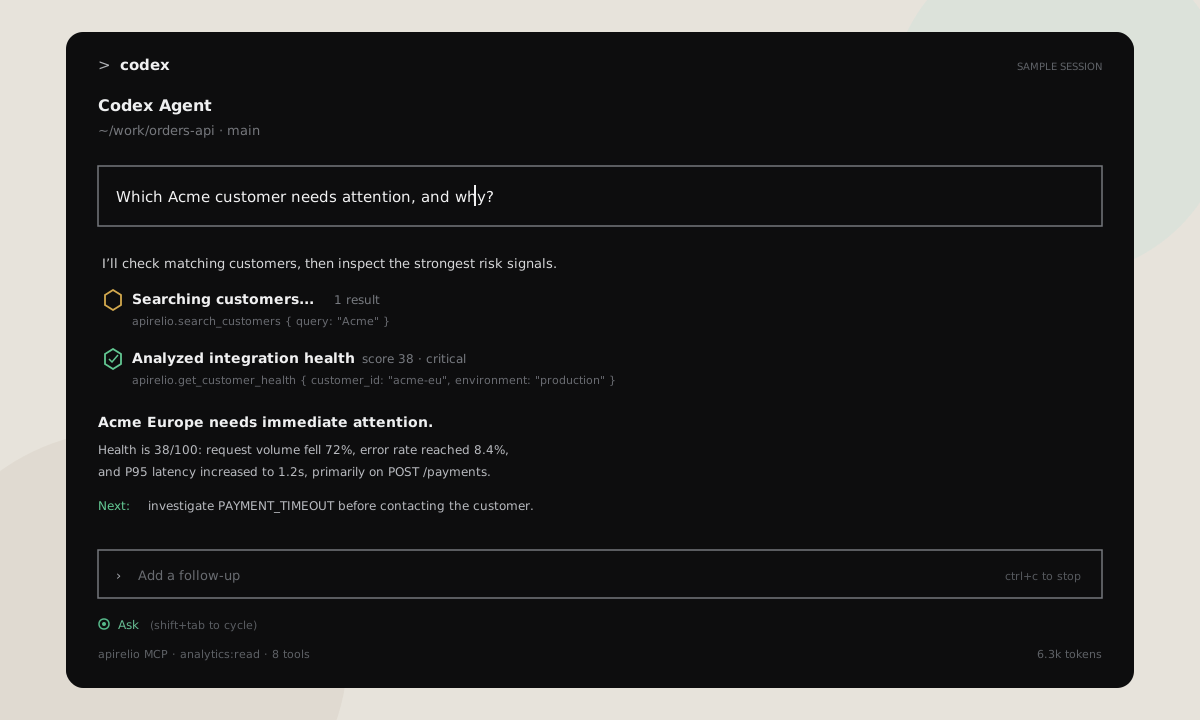
Apirelio MCP
Connect Claude Code or OpenAI Codex to project-scoped, read-only analytics. Investigate customer risk, incidents, releases and integration journeys without leaving the terminal.
From telemetry to decisions
Apirelio turns API traffic into a shared operating view for engineering, support and customer success.
Spot the accounts that need attention before they escalate.
Connect a deployment to the precise change in customer experience.
Track first request, first success, production adoption, time-to-value and stalled implementations.
Make onboarding measurable.Measure traffic share by API version and identify the exact customers that still need migration.
Retire legacy contracts with confidence.Get a deterministic comparison of traffic, errors, latency, endpoints and customer movement.
No opaque AI summary required.Detect inactivity, error-rate spikes and traffic drops, then notify Slack, Teams, signed webhooks or email recipients.
Keep the right people informed.Framework-native setup
Choose Laravel, Symfony, Nette, Slim, CakePHP, FlightPHP, Express, Fastify, NestJS, Nuxt, FastAPI, Django, Flask, Ruby on Rails, Gin, Fiber, Spring Boot or ASP.NET Core and configure your project ingestion key.
Resolve each authenticated request to its B2B customer and consuming application.
Open the dashboards, investigate regressions and automate alerts and reports.
Works with your stack
Developer documentation
Choose your PHP, TypeScript, Python, Ruby, Go, Java or .NET framework, follow its quickstart and review the shared privacy-safe event model.
Trust is part of the product
Apirelio separates operational analytics from sensitive application data. Project-scoped keys, bounded metadata and configurable retention keep the data surface intentionally small.
Request bodies, response bodies, credentials, cookies and query strings stay out.
Ingestion keys belong to one project, are stored as hashes and can be revoked.
Telemetry delivery runs away from the customer response path and never changes it.
Retention, captured fields and current security posture are documented clearly.
Explore by use case
Start with the problem you need to solve or the framework already serving your production traffic.
Find the exact accounts and integrations affected by errors, latency and releases.
Explore →For teamsAPI monitoring for B2B SaaSGive engineering, support and customer success a shared operating view.
Explore →PHPLaravel API monitoringAdd tenant-aware monitoring through a framework-native package.
Setup guide →PythonFastAPI monitoringConnect endpoint telemetry and exceptions to customer impact.
Setup guide →TypeScriptNestJS API monitoringTrace controller and route issues to the customers behind them.
Setup guide →